

 Posts
Posts


Showing posts with label Blogger. Show all posts
Showing posts with label Blogger. Show all posts
Saturday, May 28, 2011
Website Building
Since I started blogging my interest has gone far and wanted to try more. I find it so interesting and amazes me on what education it could bring in my career as a blogger. It enhances my experience more and teaches me the right tool that I need to succeed. Website building is definitely one of the growing technology nowadays and gives me more knowledge of the things that I want to try. I think it is awesome and it is something that I will be willing to learn. I have no experience about this yet, but I've also heard that the process is very easy. In fact you can use a service to make your life easy and start building your website on your own. This is really something to look forward to. This is so cool! A very innovative yet very powerful service that teaches you to become knowledgeable in the fields that you think you are good at.

Friday, September 10, 2010
2nd Anniversary Giveaway Contest
Join my first ever contest for my 2nd Anniversary in the world of blogging. This is my way of saying thank you to those who have been part and will be part of my world in blogging. Anybody can join as long as you have a blog. You will win awesome prizes plus bonuses. Please do join and be part of this success.
Here's what to do:
This contest will start today September 10, 2010 until October 5, 2010. You have almost a month to decide if you want to join this contest. Nothing really to invest nor pay a single amount. This contest is 100% free. The drawing is on October 8, 2010. Five (5) lucky winners awaits this awesome prizes. Winners will be randomly selected, so all is fair. Winners will be announced the next day and instructions will be given on how to claim your prize.
Spread the news and join now and win one of this prizes:
Here's what to do:
- Blog about my 1st giveaway contest for Adiestree Blog's ( Enjoy Life To The Fullest ) 2nd anniversary.
- Follow my blogs : Our World, Enjoy Life To The Fullest and My Space
- Leave a comment on " 2nd Anniversary Giveaway Contest" saying that you are joining the contest.
- Add me to your blog.
- Click EC Drop.
This contest will start today September 10, 2010 until October 5, 2010. You have almost a month to decide if you want to join this contest. Nothing really to invest nor pay a single amount. This contest is 100% free. The drawing is on October 8, 2010. Five (5) lucky winners awaits this awesome prizes. Winners will be randomly selected, so all is fair. Winners will be announced the next day and instructions will be given on how to claim your prize.
Spread the news and join now and win one of this prizes:

GOOD LUCK!!!
Saturday, July 17, 2010
Web Hosting A New Interest
I have been in the blogging for almost 2 years. I am really enjoying it and it does enhance my writing skills more. English is not our primary language in the Philippines, so being involve in blogging has really thought me a lot. It not only improve my writing skills but had also helped me in so many other things. I can also freely express my views and opinion in my page.
Speaking of which, I wanna go up from blogging to web hosting. To me they are very similar and it is like you just up to another level. This is really something I wanted to do for the past months. My problem was, I do not know how to get started with and until now I am still learning the basic process. I am really striving hard to learn this quick to really get started.
Web hosting is very broad. You'll get involve in so many web hosting directory in the world wide web. You will also have the full access to some web site hosting. This will really get me more involve on the things that I wanted to do. And I think web hosting is truly the answer of my online expertise.
Speaking of which, I wanna go up from blogging to web hosting. To me they are very similar and it is like you just up to another level. This is really something I wanted to do for the past months. My problem was, I do not know how to get started with and until now I am still learning the basic process. I am really striving hard to learn this quick to really get started.
Web hosting is very broad. You'll get involve in so many web hosting directory in the world wide web. You will also have the full access to some web site hosting. This will really get me more involve on the things that I wanted to do. And I think web hosting is truly the answer of my online expertise.
Sunday, June 20, 2010
New Interest - Web hosting
I have thinking this for a while now to get involve into web hosting. But I just can't find the time to read thoroughly the concept involve. I love working online and I think web hosting will be one of my cup of tea. I have read some web hosting news but seems I don't get to point just yet but I know I want to learn how to do. A friend of mine has even encourage me to get involve because she has been doing it for a while now. Hopefully I will find a time to really study it and get started. I am just so busy with my daughter right and I just got back from the country, so I am still trying to settle things out. Since I am a little behind now, I might hang out more often at web hosting news to be update on the time that I lost. I am really looking forward to get this new interest get started. I will try my best to really push through and hopefully be successful on it.
Thursday, March 19, 2009
FLag Counter

I talked about SEO Widget the other day and the meaning of the letters listed on the widget. Now we know what are those. SEO Widget is just one of so many widgets available and the next one I'm going to talk about is the Flag counter. We also see this in so many blogs. This will determine on how many visitors did you have in different places. It is very easy to determine because each country that are listed are represented by their respective flag. To give you more understanding, here's some of the details that I have found. There are certain requirements to be followed and here are some:
- bg=FFFFFF This is your flag counter's background color. This can be any valid 6 digit hex number. For instance, if the background color on your website is #191970 (Midnight blue) and you want it to match, you'll change this part to be "bg=191970"
- txt=000000 This is your flag counter's text color. This is adjusted in the same manner as the background color.
- border=CCCCCC This is your flag counter's border color. This is also adjusted in the same manner as the background color.
- columns=2 This is the number of columns in your flag counter. This can be any number between 1 and 9.
- maxflags=12 This is the maximum number of flags shown on your flag counter. This can be any number between 1 and 248.
- viewers=0 This is the text label on top of your counter. "0" is the default, which will say "Visitors" on the top of your counter. "1" will say "Viewers" and "3" will remove the label entirely. Any other value which includes letters (a-z) or numbers (0-9) is acceptable, as well as plus signs (+) which are converted to spaces, exclamations (!), periods (.), and commas (,). For instance, if you'd like this to say "My Flag Counter!", you'd change this to be "viewers=My+Flag+Counter!".
- labels=0 This setting adjusts whether the flags are labeled by their country code, and can be either 0 (off) or 1 (on). When set to 1, each flag is followed by its 2 letter country code.
Wednesday, March 18, 2009
How Do I Create A Team Blog?
Team blogs are quite useful when small groups of people wish to contribute to a single blog. Basically, one person initially creates the blog, then adds other people to it as members.
Team members can either be administrators or not. Administrators can edit all posts (not just their own), add and remove team members (and grant admin access), and modify the blog's settings and template. Non-admins can only create and edit their own posts.
Here's how to add members to your blog:
First, go to Settings | Permissions:

Then click Add Authors:
Next, type the email addresses of the people you're inviting to the blog, separating each address with a comma. They'll receive an email with a confirmation link soon. Note that they must have Google Accounts, and if they don't already, they'll be prompted to create one.
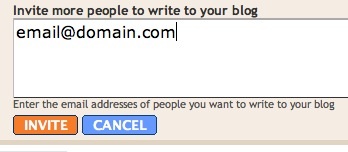
When you're ready to send the invitations, click Invite.
Subscribe to:
Posts (Atom)
